
Create any template, its folder tree, and fill in its documents.
One click creates the folder of a new project, case file or job, with every subfolder and document in place, numbered, named after your data, and with the Word, Excel and PowerPoint files already filled in.
Version 1.6.0 · No account, no subscription. Spanish and English.
How it works
Three steps, and the template is reused forever.
Build the template
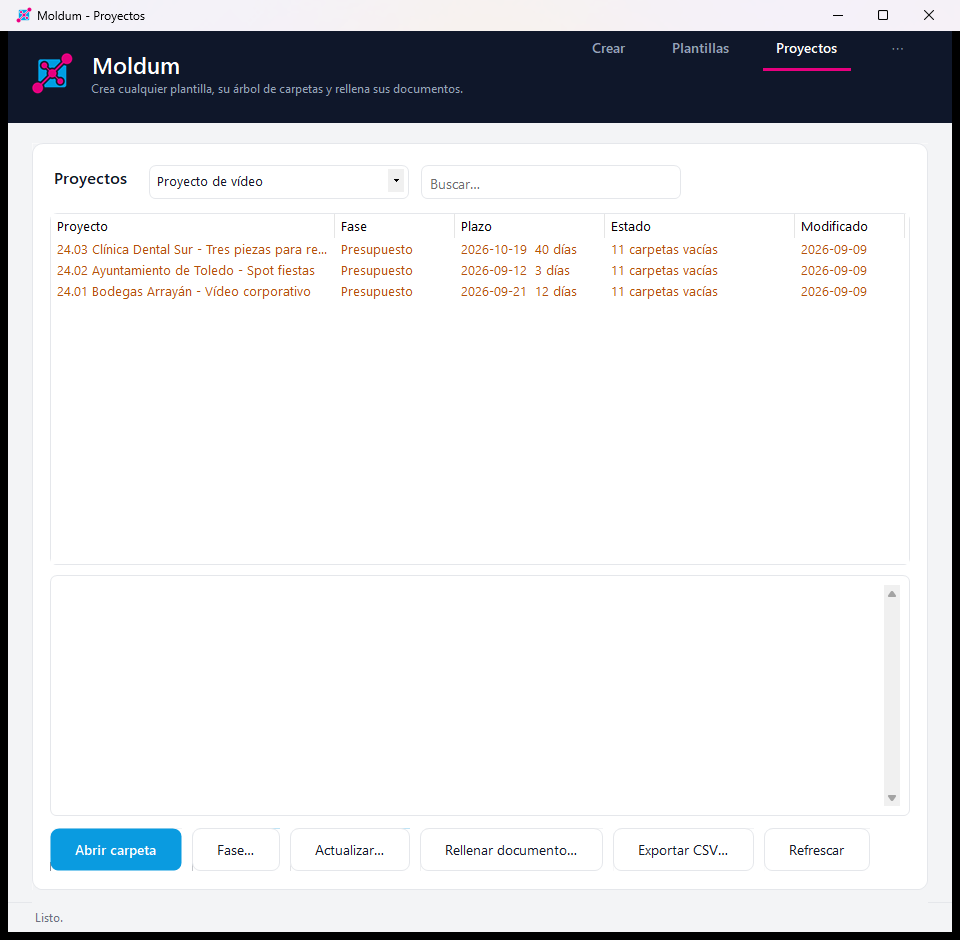
A folder tree with your usual documents. Write {Client} in folder or file names and {{Client}} inside Word, Excel or PowerPoint where the data goes.
Fill in the form
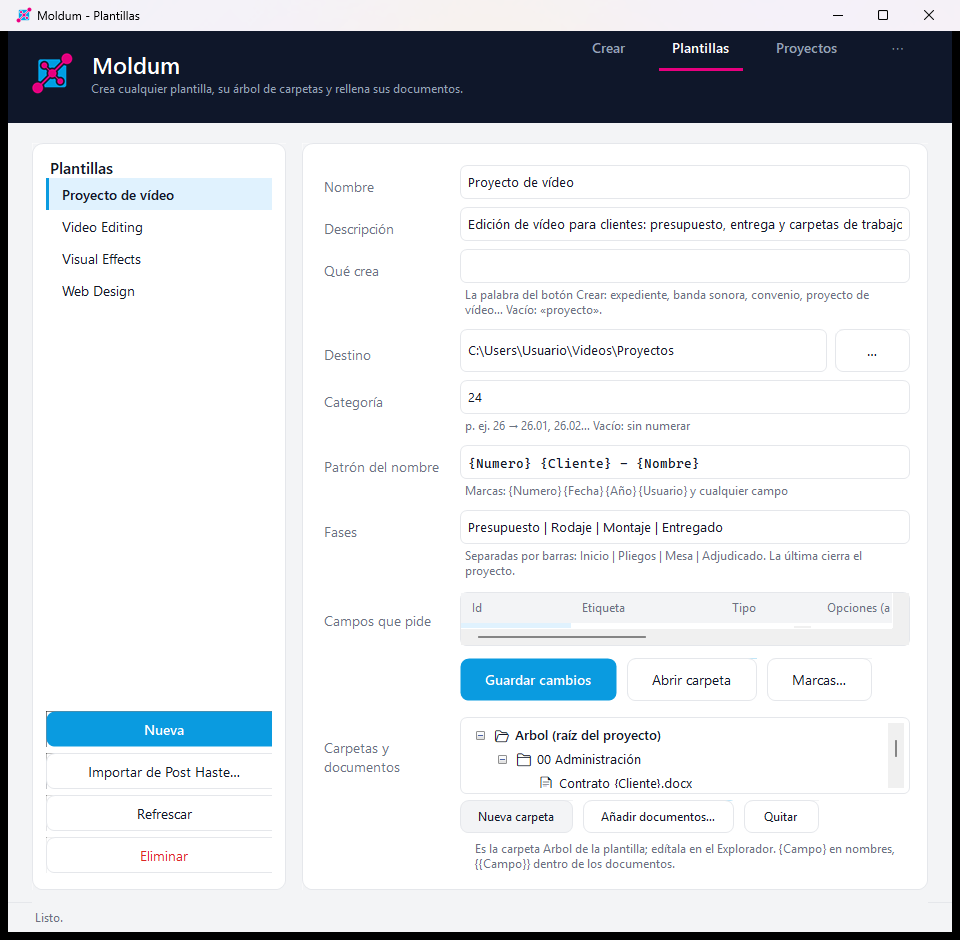
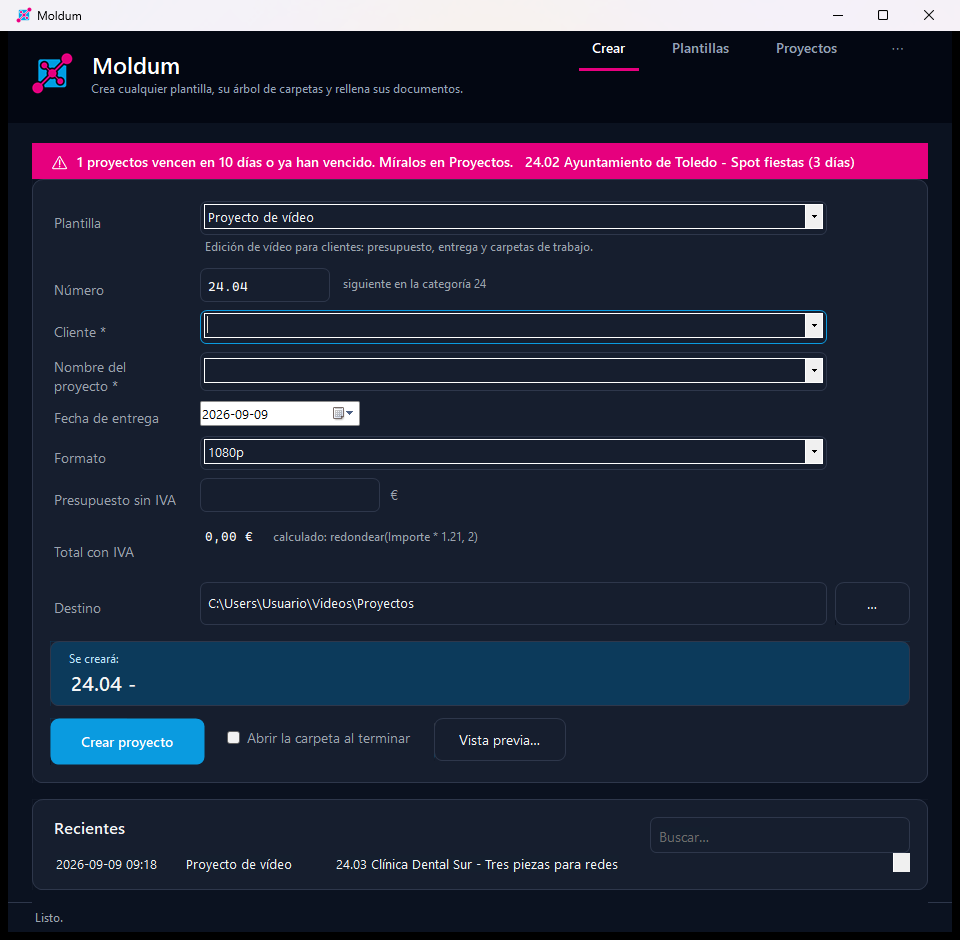
Moldum asks only for the fields the template uses, proposes the next number in the series and shows the folder name live.
Create
The folder appears with everything inside, named and filled in. Even when Word splits a placeholder into pieces, Moldum finds it.
What it does
Everything Post Haste does, plus what it never could.
Templates as folders
No proprietary format: a template is a folder with your documents. Import your Post Haste templates in one click.
Fills Word, Excel and PowerPoint
{{Placeholders}} inside the documents are replaced with your data, without opening Office.
Numbering by series
Category 26 → 26.01, 26.02… Moldum looks at what already exists and proposes the next one.
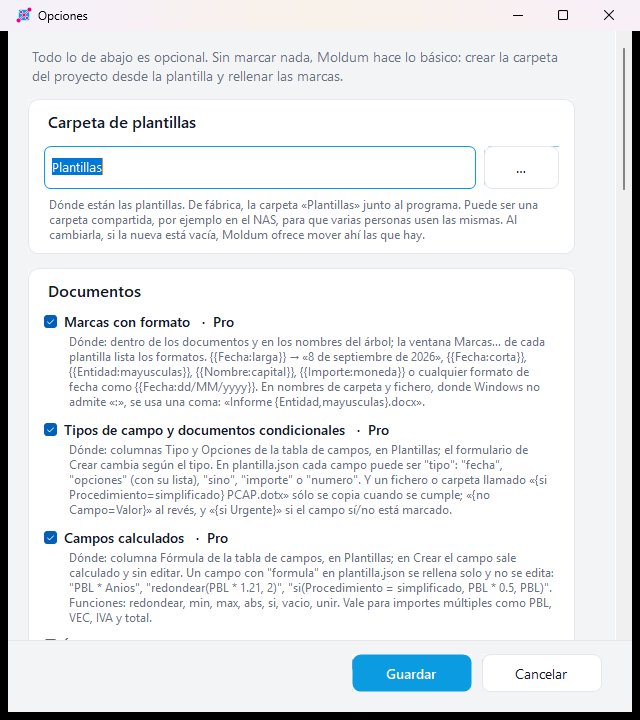
Formatted placeholders · Pro
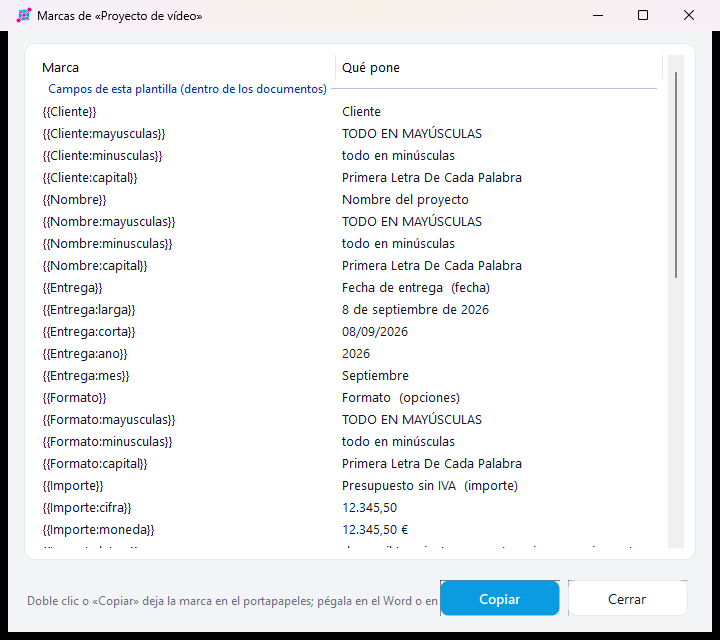
{{Date:long}}, {{Client:upper}}, {{Amount:money}}, {{Amount:words}}: the same field, written as each document needs.
Field types and conditions · Pro
Dates with a calendar, closed lists, amounts, yes/no. Files that are only copied when a condition holds.
Calculated fields · Pro
Totals, taxes, budgets: a field with a formula fills itself from the others.
Lists and repeated blocks · Pro
A list field repeats a table row or a paragraph per item: lots, courses, participants.
Live projects · Pro
Phases, deadlines with warnings, project status, update the data and regenerate only untouched documents, fill a loose document.
Teams and automation · Pro
Templates on a shared folder, bulk creation from CSV, export and import templates, command line for scripts.
A look inside
Free, or Pro once and forever
No subscription. Pro is a single payment and the license is yours for life, on up to 3 computers at a time.
Free
- Unlimited projects
- Sample templates plus 2 of your own
- Fills Word, Excel and PowerPoint
- Numbering, history, Post Haste import
- Dark mode, shortcuts, updates
Moldum Pro
- Everything in Free
- Unlimited templates
- Formatted placeholders, field types, calculated fields, lists
- Phases, deadlines, project status, updates, loose documents
- CSV bulk creation, export/import, archive, Obsidian notes
- One payment, license for life
You receive the license code by email right after paying. Taxes included.
Download
Windows 10 or 11. Nothing else to install: .NET travels inside.
Installer with a Spanish and English wizard, per user (no administrator needed) or for everyone. Your templates and settings survive updates and uninstalls.
Coming from Post Haste?
Moldum was born as a replacement for Post Haste: the same idea (folder templates for projects) without its limits. Templates › Import from Post Haste converts your .pht templates, parameters included. And then you get what Post Haste never had: filled-in documents, numbering, field types, formulas, phases and deadlines. Comparison and how to import.
Questions
How does the license work if I change computers?
Activate Moldum Pro on the new computer with the same email and code. A license works on up to 3 computers at a time; you can release one from ⋯ › License, and computers unused for months are released automatically.
I lost my code
Ask for it at the recover license page with the email you bought with; you get it again in your inbox.
Does it need internet?
Only to activate the license and, if you switch it on, to check for new versions. Everything else works offline; your documents never leave your computer.
Mac or Linux?
Windows only for now. Tell us on the contact page if you need it elsewhere.
Can I try Pro before paying?
The free version has no time limit, and the Pro options are visible in Options with their explanation. If Pro is not for you after buying, write to us within 14 days.